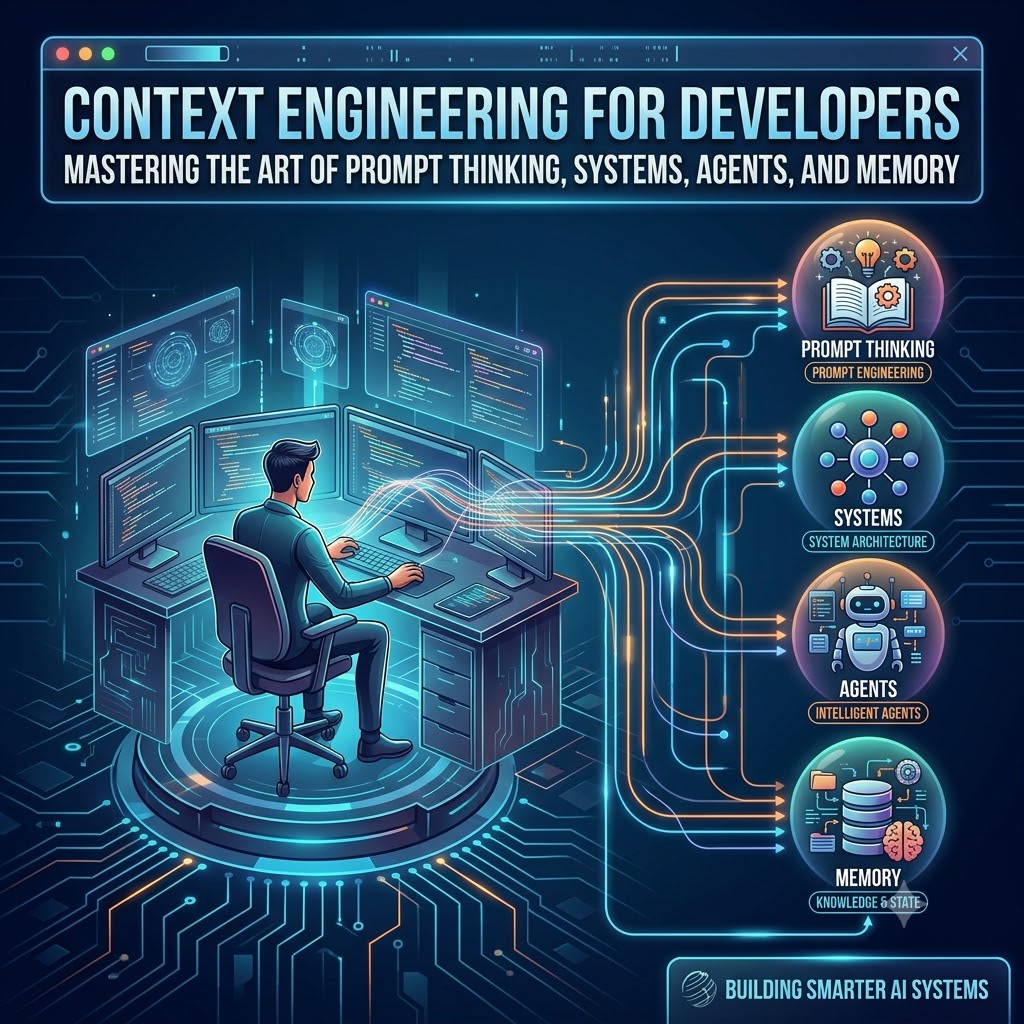
Generated AI image by Google Gemini Nano Banana
Introduction
“Prompting is easy. Getting reliable behavior from an AI system is hard.”
If you’ve ever built or worked anything serious with LLMs, you’ve already discovered the truth:
hallucinations, drifting answers, and inconsistent behavior are not bugs — they are symptoms of bad context.
Here’s a number that should change how you think about this: developers in 2026 can fully delegate only 0–20% of tasks to AI agents — even though those agents are completing an average of 20 autonomous actions per run. The bottleneck isn’t model intelligence. It’s context quality.
In 2026, the most important AI skill for developers is no longer prompt engineering.
It is context engineering.
This post explains what that really means, and how developers can build AI systems that are predictable, grounded, and production-grade.
The Real Problem With AI Isn’t Intelligence — It’s Memory
Large Language Models don’t “know” things the way databases do.
They operate on:
- A finite context window
- Probabilistic token prediction
- Partial, lossy recall
If you don’t control what goes into the context, you get:
- Hallucinations
- Confabulations
- Inconsistent answers
- Fabricated facts
- Broken reasoning chains
Most developers blame the model.
The real problem is:
we are giving it garbage context.
What Is Context Engineering?
Context engineering is the discipline of designing, curating, structuring, and governing everything the AI sees before it produces an answer.
That includes:
- System instructions
- Developer prompts
- User inputs
- Retrieved documents
- Tool results
- Agent memory
- Conversation history
Context engineering is architecture for LLMs.
The term was popularised in June 2025 by Shopify CEO Tobi Lütke, who called it “the art of providing all the context for the task to be plausibly solvable by the LLM,” and Andrej Karpathy, who defined it more precisely as “the delicate art and science of filling the context window with just the right information for the next step.” The framing has since become the standard vocabulary in serious AI engineering circles — picked up by Gartner and practitioners across the industry.
Prompt Engineering vs Context Engineering
| Prompt Engineering | Context Engineering |
|---|---|
| One-off instructions | End-to-end system design |
| Single message | Multi-turn, multi-source |
| Manual tweaking | Programmatic control |
| Fragile | Resilient |
| ChatGPT style | Production AI systems |
Prompting is writing.
Context engineering is software engineering.
The “prompt engineer” job title is already fading — Fast Company reported in mid-2025 that it has “all but disappeared” as a standalone role, with the skill being absorbed into every developer who works with AI. But the underlying discipline has never been more valuable.
The Three Pillars of Context Engineering
To build reliable AI systems, you must control three things:
1️⃣ Instructions
What is the AI allowed to do?
This lives in:
- System prompts
- Role definitions
- Output schemas
- Guardrails
Example:
“You are a financial risk analyst. Only answer using provided documents. If unsure, say ‘unknown’.”
Without strict instructions, models will invent answers.
2️⃣ Knowledge (Retrieval)
LLMs should not rely on internal training data for facts.
Instead, they should use:
- Vector search
- Document retrieval
- Structured databases
- APIs
This is why RAG (Retrieval Augmented Generation) exists.
No retrieval → hallucinations.
3️⃣ Memory
Agents need memory to:
- Track goals
- Store decisions
- Maintain conversation state
- Avoid contradictions
Memory can be:
- Short-term (context window)
- Long-term (databases, embeddings)
- Structured (JSON, key-value, events)
If you don’t manage memory, agents become confused, repetitive, or inconsistent.
Why Most AI Apps Break
Most AI apps fail because:
- They dump too much text into the prompt
- They don’t filter or rank knowledge
- They let conversations grow forever
- They don’t validate outputs
- They trust the model blindly
The model isn’t broken.
The context pipeline is.
How Context Fails: A Practical Taxonomy
This is the part most tutorials skip. When your agent starts behaving strangely in production, you need a vocabulary to diagnose it. There are four named failure modes every developer should know:
Context poisoning. A hallucination or error enters the context early — and then gets referenced again and again across subsequent turns. The model reasons confidently on top of a false premise. The tell: the agent keeps building on something that was never true.
Context distraction. The context grows so large that the model over-focuses on its accumulated history and neglects what it learned in training. Instead of reasoning fresh, it leans on past actions and repeats them. Agents that feel “stuck in a loop” are often suffering from this.
Context confusion. Multiple conflicting instructions or facts exist in the context window simultaneously. The model tries to satisfy all of them and ends up satisfying none — producing hedged, incoherent, or contradictory output.
Lost in the middle. Stanford NLP research documented that language models process information at the beginning and end of the context window more reliably than content buried in the middle. If your most important instructions or retrieved documents land in the middle of a long context, they are effectively invisible to the model. This is a structural property of how transformers attend to tokens — not a model bug you can prompt your way out of.
Understanding these four failure modes turns a vague “the agent is acting weird” into an actual engineering diagnosis — and gives you a clear lever to pull.
Context Is a Data Pipeline
Treat AI like any other data system:
User Input
↓
Instruction Layer
↓
Retrieval Layer
↓
Memory Layer
↓
LLM
↓
Validation
↓
Output
Each layer must be engineered.
This is why AI engineering looks more like data engineering than like chatbots.
1️⃣ RAG (Retrieval Augmented Generation) Examples
LlamaIndex - Basic RAG Implementation
Repository: run-llama/llama_index
Stars: 46.3k
Simple RAG Example:
import os
from llama_index.core import VectorStoreIndex, SimpleDirectoryReader

os.environ["OPENAI_API_KEY"] = "YOUR_OPENAI_API_KEY"

# Load documents
documents = SimpleDirectoryReader("YOUR_DATA_DIRECTORY").load_data()

# Create vector index
index = VectorStoreIndex.from_documents(documents)

# Query the index
query_engine = index.as_query_engine()
response = query_engine.query("What is context engineering?")
Persistent Storage Example:
from llama_index.core import StorageContext, load_index_from_storage

# Save to disk
index.storage_context.persist()

# Reload from disk
storage_context = StorageContext.from_defaults(persist_dir="./storage")
index = load_index_from_storage(storage_context)
Advanced RAG with Custom LLM (Llama 2):
from llama_index.core import Settings, VectorStoreIndex, SimpleDirectoryReader
from llama_index.embeddings.huggingface import HuggingFaceEmbedding
from llama_index.llms.replicate import Replicate
from transformers import AutoTokenizer

# Configure LLM
Settings.llm = Replicate(
    model="meta/llama-2-7b-chat:8e6975e5ed6174911a6ff3d60540dfd4844201974602551e10e9e87ab143d81e",
    temperature=0.01,
    additional_kwargs={"top_p": 1, "max_new_tokens": 300},
)

# Set tokenizer
Settings.tokenizer = AutoTokenizer.from_pretrained("NousResearch/Llama-2-7b-chat-hf")

# Set embedding model
Settings.embed_model = HuggingFaceEmbedding(model_name="BAAI/bge-small-en-v1.5")

# Build index
documents = SimpleDirectoryReader("YOUR_DATA_DIRECTORY").load_data()
index = VectorStoreIndex.from_documents(documents)
Key Features:
- Vector embeddings for semantic search
- Multiple LLM support (OpenAI, Llama 2, etc.)
- Persistent storage
- 300+ integrations available
LangChain - RAG with Chat History
Repository: langchain-ai/langchain
Documentation: QA with Chat History
RAG with Conversational Memory:
from langchain.chains import create_history_aware_retriever, create_retrieval_chain
from langchain.chains.combine_documents import create_stuff_documents_chain
from langchain_community.vectorstores import Chroma
from langchain_openai import ChatOpenAI, OpenAIEmbeddings
from langchain_core.prompts import ChatPromptTemplate, MessagesPlaceholder

# Initialize LLM
llm = ChatOpenAI(model="gpt-3.5-turbo", temperature=0)

# Create vector store
vectorstore = Chroma.from_documents(
    documents=docs,
    embedding=OpenAIEmbeddings()
)
retriever = vectorstore.as_retriever()

# System prompt for contextualization
contextualize_q_system_prompt = """Given a chat history and the latest user question \
which might reference context in the chat history, formulate a standalone question \
which can be understood without the chat history. Do NOT answer the question, \
just reformulate it if needed and otherwise return it as is."""

contextualize_q_prompt = ChatPromptTemplate.from_messages([
    ("system", contextualize_q_system_prompt),
    MessagesPlaceholder("chat_history"),
    ("human", "{input}"),
])

# Create history-aware retriever
history_aware_retriever = create_history_aware_retriever(
    llm, retriever, contextualize_q_prompt
)

# QA system prompt
qa_system_prompt = """You are an assistant for question-answering tasks. \
Use the following pieces of retrieved context to answer the question. \
If you don't know the answer, just say that you don't know. \
Use three sentences maximum and keep the answer concise.\n\n{context}"""

qa_prompt = ChatPromptTemplate.from_messages([
    ("system", qa_system_prompt),
    MessagesPlaceholder("chat_history"),
    ("human", "{input}"),
])

# Create RAG chain
question_answer_chain = create_stuff_documents_chain(llm, qa_prompt)
rag_chain = create_retrieval_chain(history_aware_retriever, question_answer_chain)

# Use with chat history
chat_history = []
response = rag_chain.invoke({
    "input": "What is context engineering?",
    "chat_history": chat_history
})
Chroma - Vector Database for RAG
Repository: chroma-core/chroma
Basic Usage:
import chromadb
from chromadb.config import Settings

# Initialize client
client = chromadb.Client(Settings(
    chroma_db_impl="duckdb+parquet",
    persist_directory="./chroma_db"
))

# Create collection
collection = client.create_collection(name="my_collection")

# Add documents
collection.add(
    documents=["This is document 1", "This is document 2"],
    metadatas=[{"source": "doc1"}, {"source": "doc2"}],
    ids=["id1", "id2"]
)

# Query
results = collection.query(
    query_texts=["What is context engineering?"],
    n_results=2
)
2️⃣ AI Agents with Memory Examples
LlamaIndex - Agent Workflows
Repository: run-llama/llama_index
Path: llama-index-core/llama_index/core/agent/
Agent with Tools:
from llama_index.core.agent import ReActAgent
from llama_index.core.tools import FunctionTool
from llama_index.llms.openai import OpenAI

# Define tools
def multiply(a: int, b: int) -> int:
    """Multiply two integers."""
    return a * b

def add(a: int, b: int) -> int:
    """Add two integers."""
    return a + b

multiply_tool = FunctionTool.from_defaults(fn=multiply)
add_tool = FunctionTool.from_defaults(fn=add)

# Create agent
llm = OpenAI(model="gpt-4")
agent = ReActAgent.from_tools(
    [multiply_tool, add_tool],
    llm=llm,
    verbose=True
)

# Run agent
response = agent.chat("What is (121 + 2) * 5?")
print(response)
Agent with Memory and Context:
from llama_index.core.agent import ReActAgent
from llama_index.core.memory import ChatMemoryBuffer

# Create memory buffer
memory = ChatMemoryBuffer.from_defaults(token_limit=3000)

# Create agent with memory
agent = ReActAgent.from_tools(
    tools=[multiply_tool, add_tool],
    llm=llm,
    memory=memory,
    verbose=True
)

# Multi-turn conversation
agent.chat("My name is John")
agent.chat("What's my name?")  # Agent remembers
LangChain - Agent with Memory
Repository: langchain-ai/langchain
Agent with Conversation Memory:
from langchain.agents import AgentExecutor, create_openai_functions_agent
from langchain_openai import ChatOpenAI
from langchain.memory import ConversationBufferMemory
from langchain_core.prompts import ChatPromptTemplate, MessagesPlaceholder
from langchain.tools import Tool

# Define tools
def search_tool(query: str) -> str:
    """Search for information."""
    return f"Results for: {query}"

tools = [
    Tool(
        name="Search",
        func=search_tool,
        description="Useful for searching information"
    )
]

# Create prompt with memory placeholder
prompt = ChatPromptTemplate.from_messages([
    ("system", "You are a helpful assistant with access to tools."),
    MessagesPlaceholder(variable_name="chat_history"),
    ("human", "{input}"),
    MessagesPlaceholder(variable_name="agent_scratchpad"),
])

# Initialize LLM
llm = ChatOpenAI(temperature=0)

# Create agent
agent = create_openai_functions_agent(llm, tools, prompt)

# Add memory
memory = ConversationBufferMemory(
    memory_key="chat_history",
    return_messages=True
)

# Create executor
agent_executor = AgentExecutor(
    agent=agent,
    tools=tools,
    memory=memory,
    verbose=True
)

# Run with memory
agent_executor.invoke({"input": "My favorite color is blue"})
agent_executor.invoke({"input": "What's my favorite color?"})
3️⃣ Memory Store Examples
LangChain - Multiple Memory Types
1. Conversation Buffer Memory (Short-term):
from langchain.memory import ConversationBufferMemory

memory = ConversationBufferMemory()
memory.save_context({"input": "Hi"}, {"output": "Hello!"})
memory.save_context({"input": "What's AI?"}, {"output": "Artificial Intelligence"})

print(memory.load_memory_variables({}))
# Output: {'history': 'Human: Hi\nAI: Hello!\nHuman: What\'s AI?\nAI: Artificial Intelligence'}
2. Conversation Summary Memory:
from langchain.memory import ConversationSummaryMemory
from langchain_openai import ChatOpenAI

llm = ChatOpenAI(temperature=0)
memory = ConversationSummaryMemory(llm=llm)

memory.save_context(
    {"input": "Tell me about context engineering"},
    {"output": "Context engineering is the discipline of designing and curating everything the AI sees..."}
)

print(memory.load_memory_variables({}))
# Returns summarized version
3. Vector Store Memory (Long-term):
from langchain.memory import VectorStoreRetrieverMemory
from langchain_community.vectorstores import Chroma
from langchain_openai import OpenAIEmbeddings

# Create vector store
vectorstore = Chroma(
    embedding_function=OpenAIEmbeddings(),
    persist_directory="./memory_db"
)

# Create retriever memory
retriever = vectorstore.as_retriever(search_kwargs={"k": 2})
memory = VectorStoreRetrieverMemory(retriever=retriever)

# Save context
memory.save_context(
    {"input": "My favorite programming language is Python"},
    {"output": "That's great! Python is very popular."}
)

# Retrieve relevant memories
relevant_memories = memory.load_memory_variables(
    {"prompt": "What language do I like?"}
)
4. Entity Memory (Structured):
from langchain.memory import ConversationEntityMemory
from langchain_openai import ChatOpenAI

llm = ChatOpenAI(temperature=0)
memory = ConversationEntityMemory(llm=llm)

memory.save_context(
    {"input": "John works at OpenAI and loves AI research"},
    {"output": "That's interesting about John!"}
)

# Extracts entities: John, OpenAI, AI research
print(memory.entity_store.store)
LlamaIndex - Memory Modules
Chat Memory:
from llama_index.core.memory import ChatMemoryBuffer

# Simple chat memory
memory = ChatMemoryBuffer.from_defaults(token_limit=3000)

# Add messages
memory.put(ChatMessage(role="user", content="Hello"))
memory.put(ChatMessage(role="assistant", content="Hi there!"))

# Get all messages
messages = memory.get_all()
Vector Memory:
from llama_index.core.memory import VectorMemory
from llama_index.core import VectorStoreIndex

# Create vector-based memory
vector_memory = VectorMemory.from_defaults(
    vector_store=vector_store,
    embed_model=embed_model,
)

# Store interaction
vector_memory.put(ChatMessage(role="user", content="I like Python"))

# Retrieve relevant memories
relevant = vector_memory.get(query="programming languages")
4️⃣ Complete Context Engineering Pipeline Examples
Full RAG + Agent + Memory System
from langchain.agents import AgentExecutor, create_openai_functions_agent
from langchain_openai import ChatOpenAI, OpenAIEmbeddings
from langchain_community.vectorstores import Chroma
from langchain.memory import ConversationBufferMemory
from langchain.tools import Tool
from langchain_core.prompts import ChatPromptTemplate, MessagesPlaceholder
from langchain.chains import RetrievalQA

# 1. KNOWLEDGE LAYER - RAG Setup
vectorstore = Chroma.from_documents(
    documents=docs,
    embedding=OpenAIEmbeddings(),
    persist_directory="./knowledge_base"
)

# Create retrieval tool
def knowledge_search(query: str) -> str:
    """Search the knowledge base for relevant information."""
    retriever = vectorstore.as_retriever(search_kwargs={"k": 3})
    qa_chain = RetrievalQA.from_chain_type(
        llm=ChatOpenAI(temperature=0),
        retriever=retriever,
        return_source_documents=True
    )
    result = qa_chain({"query": query})
    return result["result"]

# 2. TOOLS/ACTIONS LAYER
tools = [
    Tool(
        name="KnowledgeBase",
        func=knowledge_search,
        description="Search the knowledge base for factual information. Always use this before answering questions."
    )
]

# 3. INSTRUCTION LAYER - System Prompt
system_prompt = """You are a precise AI assistant that follows these rules:
1. ALWAYS search the knowledge base before answering
2. Only use information from retrieved documents
3. If information is not in the knowledge base, say "I don't have that information"
4. Cite your sources
5. Keep answers concise and factual"""

prompt = ChatPromptTemplate.from_messages([
    ("system", system_prompt),
    MessagesPlaceholder(variable_name="chat_history"),
    ("human", "{input}"),
    MessagesPlaceholder(variable_name="agent_scratchpad"),
])

# 4. MEMORY LAYER
memory = ConversationBufferMemory(
    memory_key="chat_history",
    return_messages=True,
    output_key="output"
)

# 5. AGENT ORCHESTRATION
llm = ChatOpenAI(model="gpt-4", temperature=0)
agent = create_openai_functions_agent(llm, tools, prompt)

agent_executor = AgentExecutor(
    agent=agent,
    tools=tools,
    memory=memory,
    verbose=True,
    return_intermediate_steps=True
)

# 6. VALIDATION LAYER
def validate_response(response: dict) -> dict:
    """Validate agent response for hallucinations."""
    output = response["output"]

    # Check if sources were used
    if "intermediate_steps" in response:
        if not response["intermediate_steps"]:
            output = "⚠️ No sources consulted. " + output

    # Check for uncertainty markers
    if "I don't know" not in output and "knowledge base" not in output.lower():
        output = "⚠️ Unverified: " + output

    return {"output": output, "validated": True}

# Usage
response = agent_executor.invoke({"input": "What is context engineering?"})
validated = validate_response(response)
print(validated["output"])
5️⃣ What’s New in Mid-2026: Skills Every Developer Should Add Now
The fundamentals above are still the foundation. But the practitioner community has moved on to a second tier of skills that separate production-grade systems from demos. Here’s what to learn next.
Skill 1: Upgrade Your RAG to Contextual Retrieval
Naive chunking strips context. A retrieved fragment that says “the decision was reversed” means nothing without knowing which decision, in which document, under what conditions. Embed that orphaned sentence and your retrieval is already compromised before the model sees it.
The fix is contextual retrieval: prepend each chunk with a generated summary of where it lives in the document before embedding. Anthropic’s own research shows contextual embeddings alone reduce retrieval failures by 35%. Combine them with BM25 hybrid search and that improves to 49%. Add a reranker on top and you reach 67%.
The other half is hybrid search: combining vector search with keyword search, then reranking by relevance to the actual query. Pure vector search misses exact-match queries. Pure keyword search misses semantic variation. You need both.
# Conceptual pattern: contextual chunk enrichment before embedding
def enrich_chunk(chunk: str, doc_summary: str) -> str:
    """Prepend document-level context to each chunk before embedding."""
    return f"[Document context: {doc_summary}]\n\n{chunk}"

# Then embed the enriched chunk, not the raw chunk
enriched = enrich_chunk(raw_chunk, generate_doc_summary(document))
embedding = embed_model.get_text_embedding(enriched)
Skill 2: Build Agentic RAG — Let the Agent Decide When to Retrieve
The third generation of RAG doesn’t retrieve on every turn. The agent evaluates whether retrieval is needed, dynamically selects the right source (vector store, knowledge graph, web search), assesses the quality of what it gets back, and decides whether to re-retrieve before answering.
This is the difference between a passive retrieval pipeline and an active reasoning system.
from llama_index.core.agent import ReActAgent
from llama_index.core.tools import QueryEngineTool

# Give the agent retrieval as a tool — let it decide when to use it
vector_tool = QueryEngineTool.from_defaults(
    query_engine=index.as_query_engine(),
    name="knowledge_base",
    description="Use this when you need factual information from company documents. Do not use for general knowledge questions."
)

agent = ReActAgent.from_tools([vector_tool], llm=llm, verbose=True)
# The agent now chooses whether retrieval is warranted — it doesn't blindly retrieve on every turn
Skill 3: Write Context Configuration Files (CLAUDE.md / .cursorrules)
Every major AI coding tool in 2026 has its own context configuration system. Claude Code uses CLAUDE.md, Cursor uses .mdc project rules, GitHub Copilot uses copilot-instructions.md. These files are “Write” context engineering — you’re pre-loading project-specific knowledge into every model call.
The key insight: these files aren’t read sequentially like a human reads a README. AI tools retrieve the most relevant sections for the task at hand. Section titles matter — mirror the natural language of development tasks.
A well-structured CLAUDE.md for a production codebase might look like this:
# Project Context

## Architecture decisions
- All API routes are versioned under /api/v2
- We use PostgreSQL via Supabase; never use raw SQL for auth operations

## API authentication patterns
- All protected routes use the validateSession middleware
- Never expose the service_role key in client-side code

## Error handling for external services
- Wrap all third-party API calls in the withRetry utility
- Log errors to Sentry before re-throwing

## DO NOT
- Do not add new npm packages without updating package-lock.json
- Do not bypass TypeScript strict mode with @ts-ignore
Keep it under 500 lines and review it quarterly. An AI agent is only as smart as the last time its context was reviewed.
Skill 4: Add Checkpoint Injection to Long Agent Runs
For agents running more than five steps, add a checkpoint mechanism that re-anchors the agent to the original objective. This directly combats context distraction — the failure mode where accumulated history causes the agent to drift from the original goal.
CHECKPOINT_INTERVAL = 5  # Re-anchor every 5 actions

def run_agent_with_checkpoints(agent, task: str, max_steps: int = 20):
    original_objective = task
    step_count = 0

    while step_count < max_steps:
        # Inject checkpoint every N steps
        if step_count > 0 and step_count % CHECKPOINT_INTERVAL == 0:
            checkpoint_prompt = f"""
            CHECKPOINT: Your original objective was: "{original_objective}"
            Steps completed so far: {step_count}
            Verify you are still on track before continuing.
            """
            agent.memory.put(ChatMessage(role="system", content=checkpoint_prompt))

        result = agent.step()
        step_count += 1

        if result.is_done:
            break

    return result
Skill 5: Treat System Prompts as Versioned Code
Prompt engineering is table stakes. But treating prompts as throw-away text is how teams end up with undocumented, untestable, unmaintainable AI behaviour at scale.
In 2026, production teams version their system prompts the same way they version application code: committed to git, tagged at release, tested before deployment.
Tools like Promptfoo bring CI/CD discipline to prompts — automated testing, regression checks, red teaming. It’s used by 300,000+ developers and 127 Fortune 500 companies (note: OpenAI acquired Promptfoo in March 2026; the core framework remains open-source). If your application code is tested before shipping, your prompts should be too.
# promptfoo example: test your system prompt against expected outputs
npx promptfoo eval --config promptfoo.yaml

# promptfoo.yaml
prompts:
  - "prompts/system_v2.txt"
providers:
  - openai:gpt-4
tests:
  - vars:
      input: "What is our refund policy?"
    assert:
      - type: contains
        value: "30 days"
      - type: not-contains
        value: "I don't know"
Skill 6: Audit Your MCP Tool Token Cost
If your agents connect to MCP (Model Context Protocol) servers, audit how many tokens your tool schemas consume before any user interaction happens. The number is usually higher than expected — sometimes consuming a significant portion of your effective context budget before the first user message.
The discipline here is tool scoping: only load the tools appropriate to the current task phase. An agent in a “research” phase doesn’t need write tools. An agent in a “write” phase doesn’t need read-all tools.
# Instead of loading all tools at agent init:
all_tools = [read_tool, write_tool, search_tool, database_tool, email_tool]

# Scope tools to the current phase
PHASE_TOOLS = {
    "research": [search_tool, read_tool],
    "write": [write_tool],
    "review": [read_tool, database_tool],
}

def get_agent_for_phase(phase: str):
    return ReActAgent.from_tools(PHASE_TOOLS[phase], llm=llm)
Skill 7: Write Evals, Not Just Vibes Tests
As open-source models (Llama 3, DeepSeek, Qwen) become viable alternatives to proprietary APIs, the decision of which model to use for a given task is now an engineering decision — not just a preference. Making that decision defensibly requires systematic evaluation, not gut feel.
Being able to run structured evals — covering factual accuracy, completeness, and failure rate — is quickly becoming the skill that separates senior AI engineers from everyone else.
# Simple eval harness pattern
import json
from typing import Callable

def run_eval(
    agent_fn: Callable,
    test_cases: list[dict],
    grader_fn: Callable
) -> dict:
    results = []
    for case in test_cases:
        output = agent_fn(case["input"])
        score = grader_fn(output, case["expected"])
        results.append({
            "input": case["input"],
            "output": output,
            "expected": case["expected"],
            "score": score,
            "passed": score >= 0.8
        })

    pass_rate = sum(r["passed"] for r in results) / len(results)
    return {"pass_rate": pass_rate, "results": results}
6️⃣ Additional Resources & Repositories
Production-Ready Examples:
Chat Your Data - hwchase17/chat-your-data
- Complete RAG application
- Multiple data sources
- Conversation memory
LlamaIndex Examples - Examples Directory
- 100+ examples
- Agent workflows
- Memory patterns
- Multi-modal RAG
LangChain Cookbook - Cookbook
- Production patterns
- Advanced memory techniques
- Agent architectures
LangChain Templates - Templates
- Ready-to-use templates
- RAG variations
- Agent patterns
Agent Skills for Context Engineering - muratcankoylan/Agent-Skills-for-Context-Engineering
- Context compression patterns
- Multi-agent coordination
- Evaluation frameworks
- Production-tested skill library
How Developers Can Eliminate Hallucinations
Hallucinations disappear when you:
- Restrict the model to provided sources
- Use citations
- Use deterministic output schemas
- Validate responses
- Ground everything in retrieval
The goal is not to make the model smarter.
The goal is to make it obedient to context.
Agents Are Just Context Machines
AI agents don’t “think”.
They:
- Read context
- Choose tools
- Update memory
- Call the model
- Repeat
Every loop is driven by:
Context in → Tokens out
If your agents behave badly, your context design is wrong.
Why Context Engineering Is the Most Valuable AI Skill in 2026
Everyone can prompt.
Few can:
- Design retrieval pipelines
- Structure memory
- Control tool invocation
- Enforce schemas
- Prevent hallucinations
- Maintain long-running AI workflows
These are engineering problems, not writing problems.
This is where real leverage is.
Final Thought
The future of AI development is not about clever prompts.
It is about building systems of memory, retrieval, and control around probabilistic models.
Context engineering is how we turn LLMs from:
unreliable chatbots
into:
trustworthy software components.
For developers in 2026, that is the real superpower. And unlike model weights you can’t control, context pipelines are yours to engineer.
That is the work. And increasingly, that is the advantage.
Hope you find all these incredibly enlightening.
Till next time, Happy coding and keep learning!